Manage Rifles
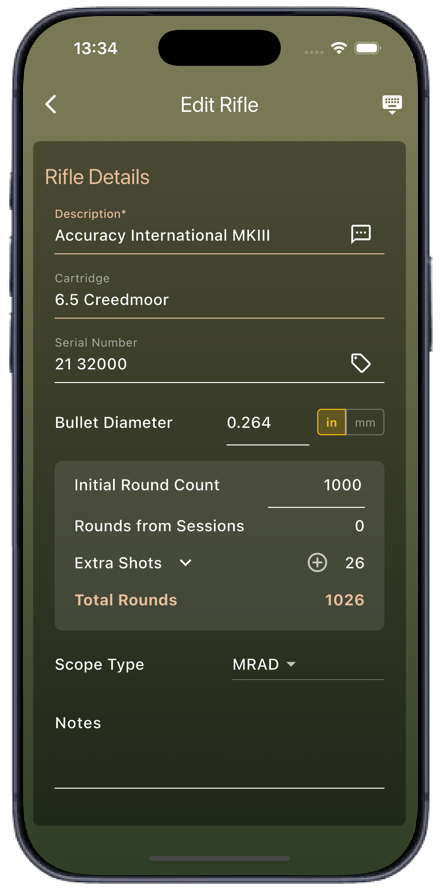
Add your rifles. Optionally record their serial numbers and initial round count.
Your complete Load Development solution, with built-in Shooting Diary and Target Analysis.
No ads and no subscriptions.
Add your rifles. Optionally record their serial numbers and initial round count.
Add your bullets for testing, optionally across multiple rifles. Store case, primer, powder, COAL...
Add a Shooting Diary entry while at the range. Record the weather, any notes, and link your targets.
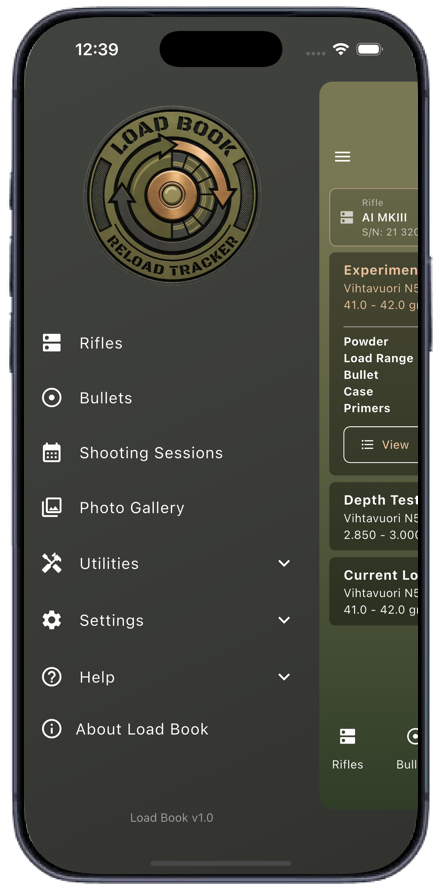
Add new loads to test, whether powder charge or seating depth.
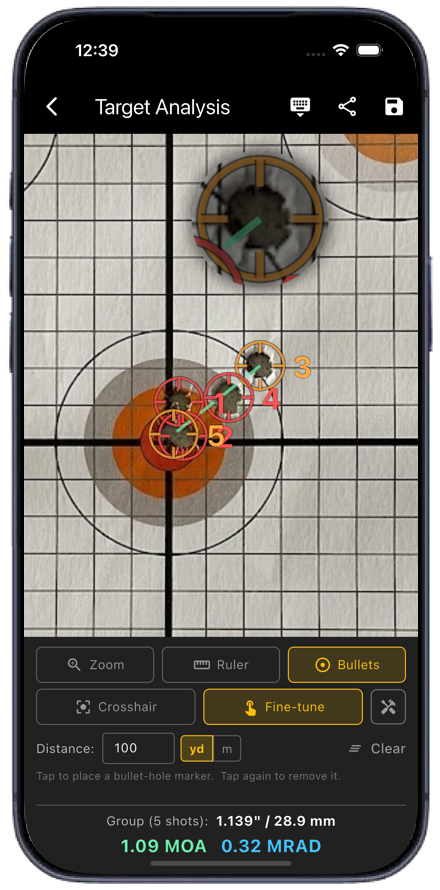
Capture or select your target. Mark bullet holes to calculate group size.
Export everything including load graphs as a PDF report - print or save it.



Everything you need to manage, record and analyse powder charge and seating depth testing.
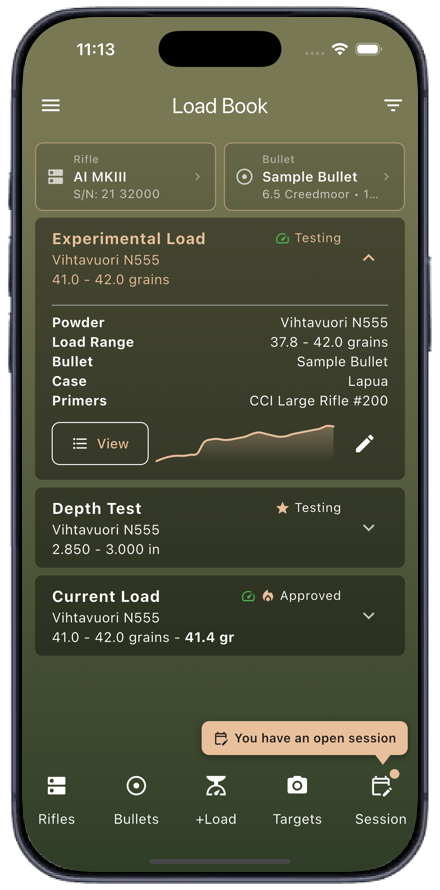
Tap the lower Rifles button (or hold the top Rifle card) to select a rifle. Tap the Rifle card to edit its details.
Whether you're testing a new powder, a change to the charge or you've progressed on to seating depth, it all starts here.
Tap the lower Bullets button to display all bullets for the selected rifle. Bullets can be added to other rifles.
See the results of your testing at a glance with charge and depth spark graphs.
Once a Rifle and Bullet are selected, add a load to test. You can add multiple over time.
Change the load's status as you go. Found a good load? Flag it as a favourite, promising, hot...
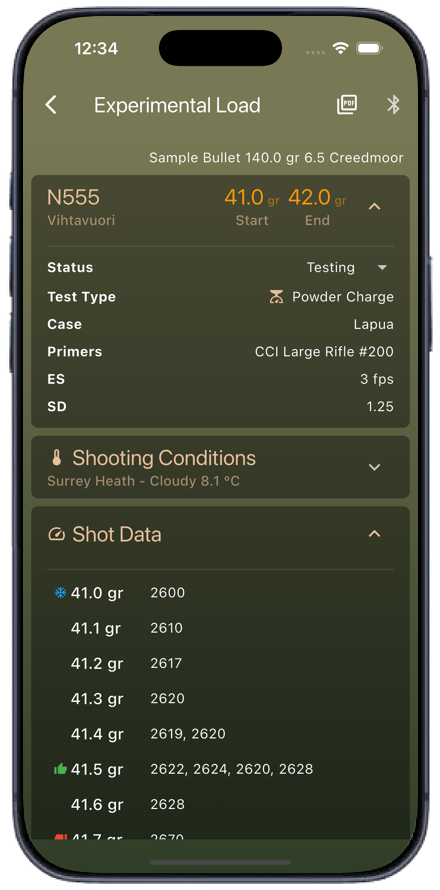
Click 'View' to see the full details of a load your're testing, then progress its status from the drop-down.
Tap a charge entry to update its velocity, or multiple velocities if you're loading several rounds per charge.
All details of the current load are shown in an easy to read format.
Sick of typing your velocities? Connect your FX True Ballistic chronograph to update your entries as you shoot.
The current shooting conditions are taken from your shooting session automatically.
Export everything as a PDF report for safe keeping. We're still adding new layouts, so keep checking the options!
Interactive charts allow you to visualise your shots to locate that perfect node.
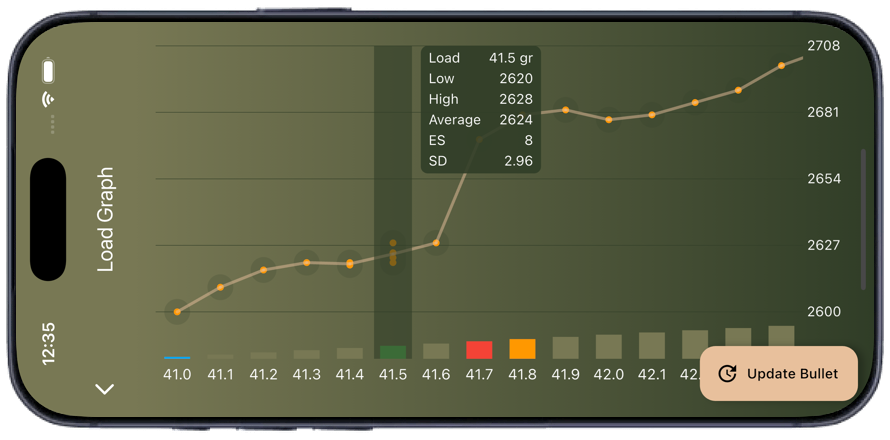
Supports multiple shots per charge or seating depth.
Flag nodes as cold bore, good, bad, promising...
Calculates your ES and SD if you shoot multiple rounds per charge.
Found a good node? Update your bullet with its details.
Adding sessions while at the range automatically links your test loads and target analysis, and prompts for your shot count.
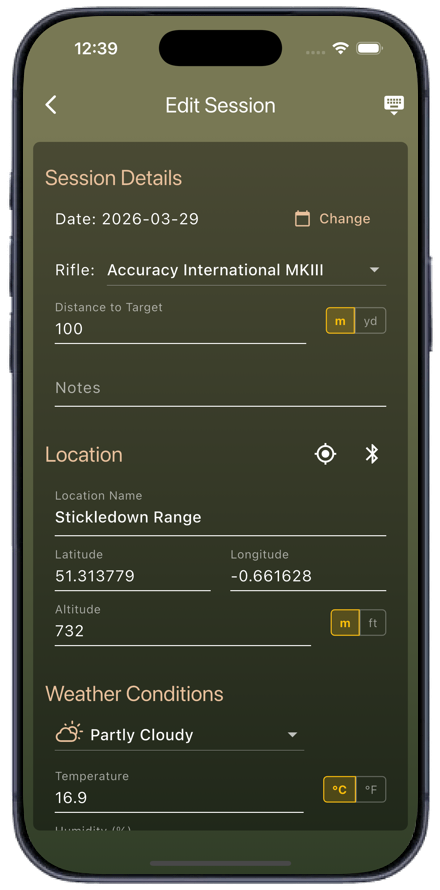
Shooting Diary sessions link the loads you tested and targets you analysed. Enter notes as you shoot for reference.
Level up by connecting your weather meter for precise environmental conditions. Supports Kestrel, WeatherFlow, SkyWatch and others.
Load Book retrieves and stores your location, altitude and local weather.
When you close your session, you're prompted for your shot count - this is added to your rifle's total.
Snap your target, set a known distance and place hole markers.
From your camera at the range, or your photo library back at home, link your targets to your shooting diary.
Simply select the ruler and select a known distance such as a 1 inch bullseye, or 20 cm of grid, to define the scale of your target.
Use the cross hair to quickly add hole markers, or the fine tuning mode with magnifier overlay.
Add a note to each target so you don't forget something important.
Choose from multiple options such as solid or dotted outlines, internal or external numbering, solid or partial crosshair...
Found a load with a great group size? Click the save icon and you'll be prompted to update your current bullet with the results.
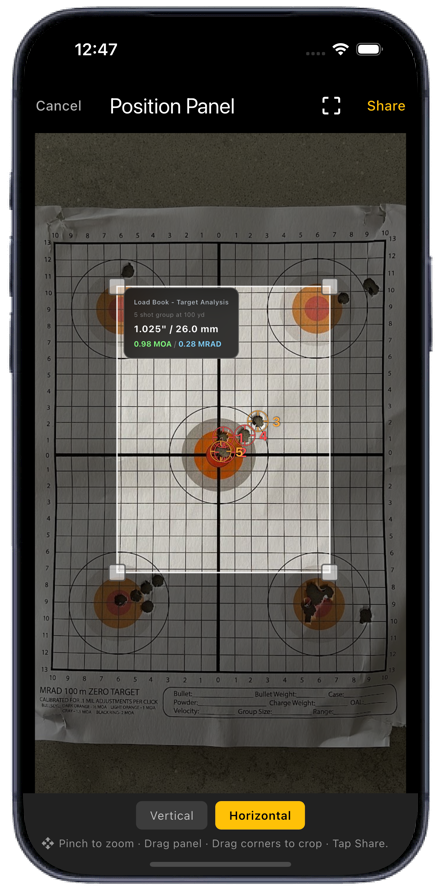
Pinch to zoom in, then drag to just the right target.
Choose from vertical or horizontal analysis overlay, then drag it to your desired spot.
Drag the four corners of the highlight square to crop your image - and hide those flyers!
Save your results as a zoomed, cropped image with an analysis overlay. Just share the best ones.