Capture at the Range
Sapture a target photo or select an image from your phone's image library.
Advanced target analysis for the serious precision shooter.
Sapture a target photo or select an image from your phone's image library.
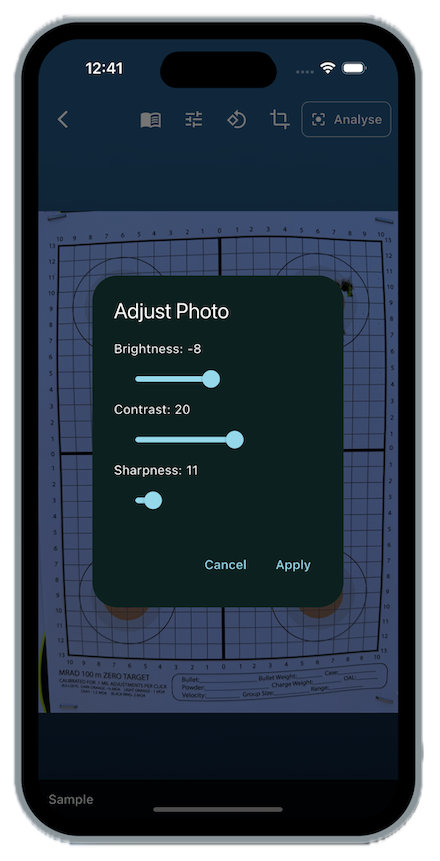
Adjust the brightness, contrast, sharpness, rotation and crop out the background.
Define an area of known size to set a reference.
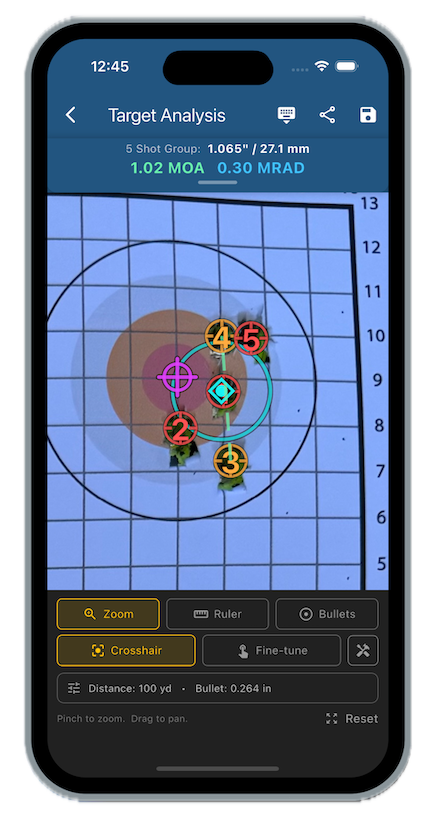
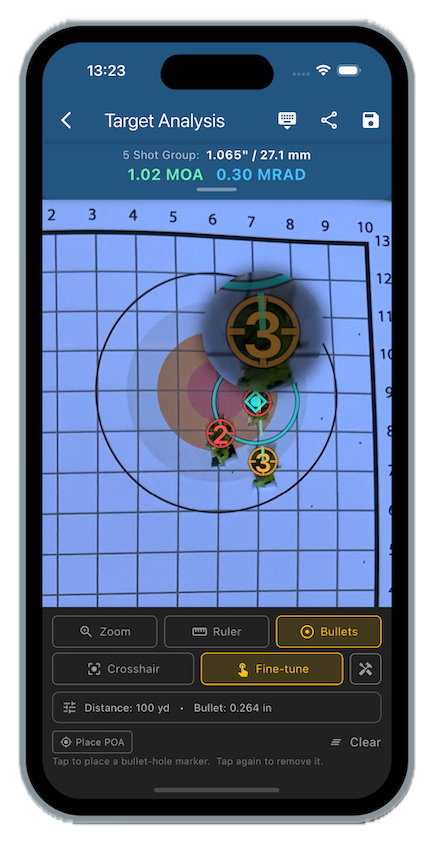
Mark each bullet hole with the crosshair, or magnified fine-tuner.
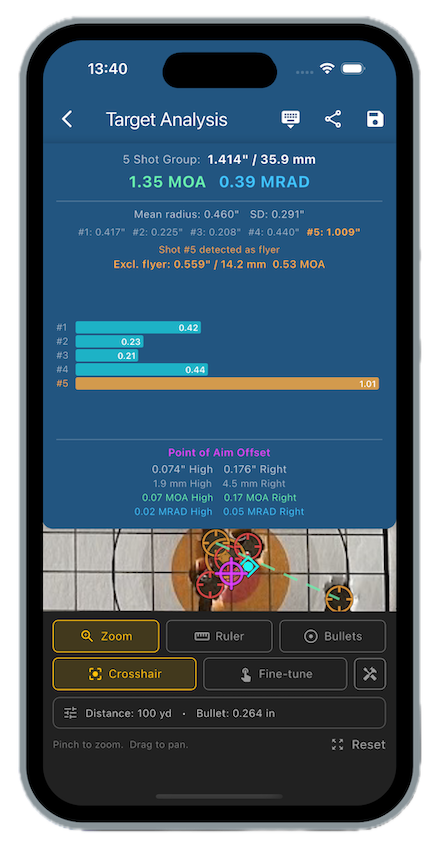
Add your aim point to calculate your accuracy in multiple units.
Export your image with an analysis overlay in a choice of layouts.


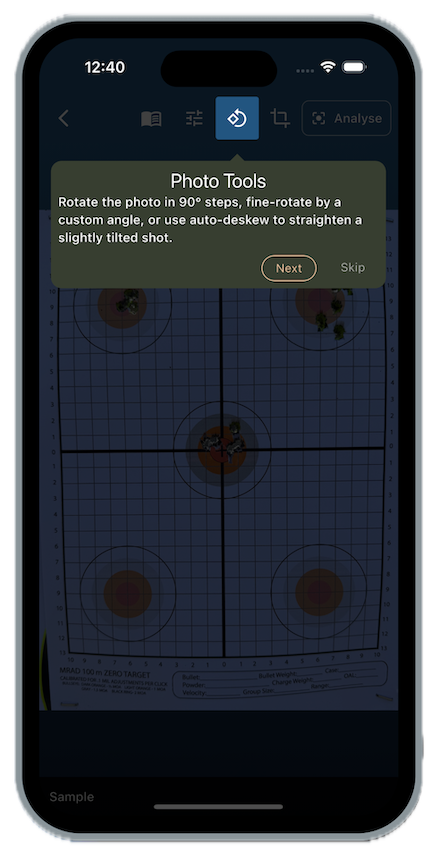
Powerful image processing to refine your photo before analysis.
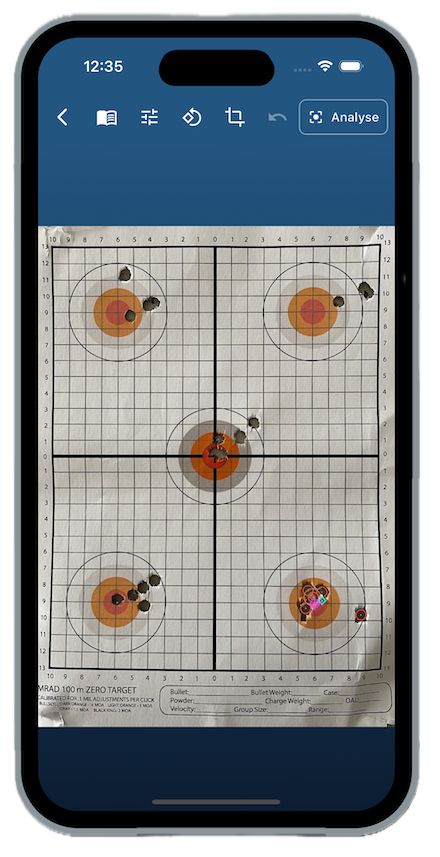
Adjust the brightness levels in case of under or over exposed photos.
You can also adjust the contrast to make those grid lines, bulls eye and bullet holes stand out.
Set rotations of 90 degrees, fine grain rotation and even automatic deskew for those crooked photos. Then crop your photos so just the target, or a portion of it, is displayed.
Sharpen up those soft edges for a clear understanding of what's going on.
Add any notes about your location, weather conditions and what you were firing.
Specify a size reference for your target.
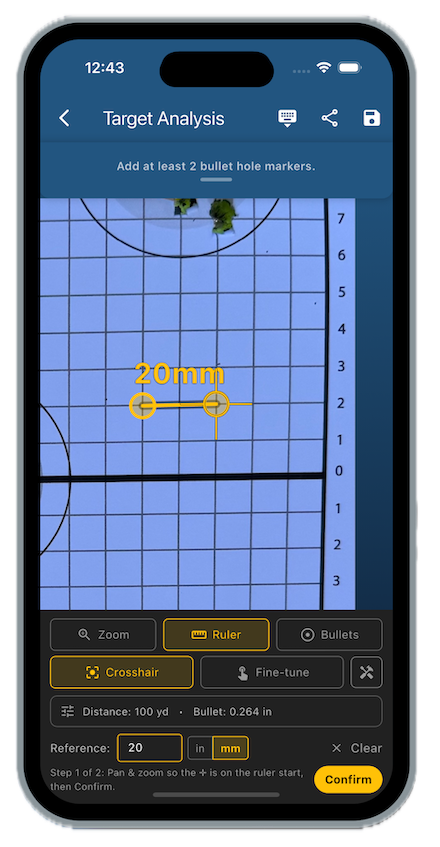
Click the Ruler button to define an area of known size.
Switch to Fine-tune to precisely adjust the endpoints with a popup magnifier.
Two modes exist - use Crosshair to zoom in on the target and select two points a known distance from each other.
Tell Group Lab the distance you just measured, whether it's an inch, 20 mm...
Add markers to each of your bullet holes.
Once the Ruler has been set, enter the shooting distance to the target (e.g. 100 yd/m) and your bullet diameter.
Use the Crosshair method to add each hole marker quickly. You can fine-tune them with the help of the magnifier.
In Zoom and Pan mode, you can focus on the area of your photo you're going to analyse.
You can change the colour of the text and even the layout of the markers: Number placement, crosshair style etc.
The next step is to mark each bullet hole of your target, once by one.
Your calculated groupsize is shown at the top, in several units including MOA at your specified distance.
Specify your Point of Aim to gain accuracy information.
Use the Crosshair to set your aim point. You can make fine adjustments with the Fine-tune mode.
Each hole is listed in terms of distance from the group centre.
Your average shot radius (distance from the group centre) is shown on the target.
Group Lab will even identify flyers and recalculate your group.
Share your results with analysis overlay.
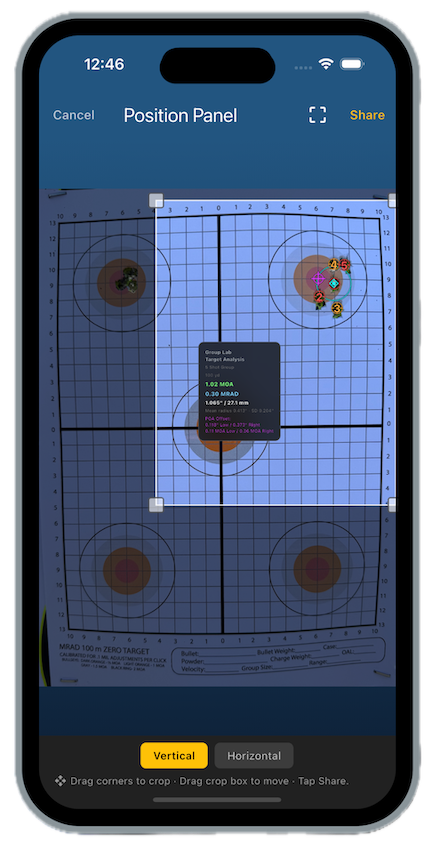
Tap the Share button to finalise your image.
Position the overlay - a choice of layouts is available.
Crop out unwanted sections of your target or background.
See the detailed 'first launch tutorial' for a step-by-step guide.